Frigidaire Range Showing SF and Not Responding in Oldsmar: A Sabbath Mode Lockout, Cleared Without Parts
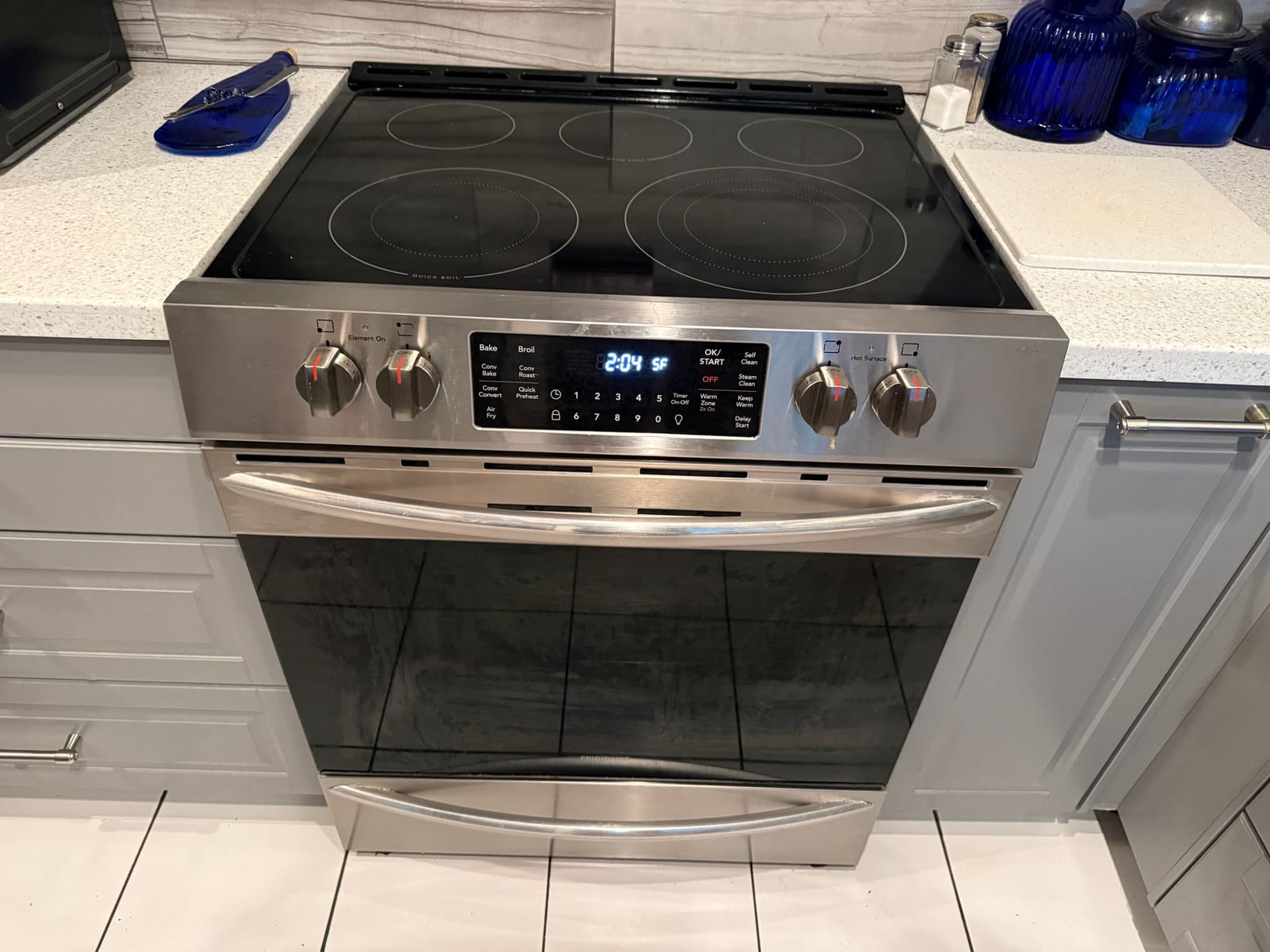
- Symptom
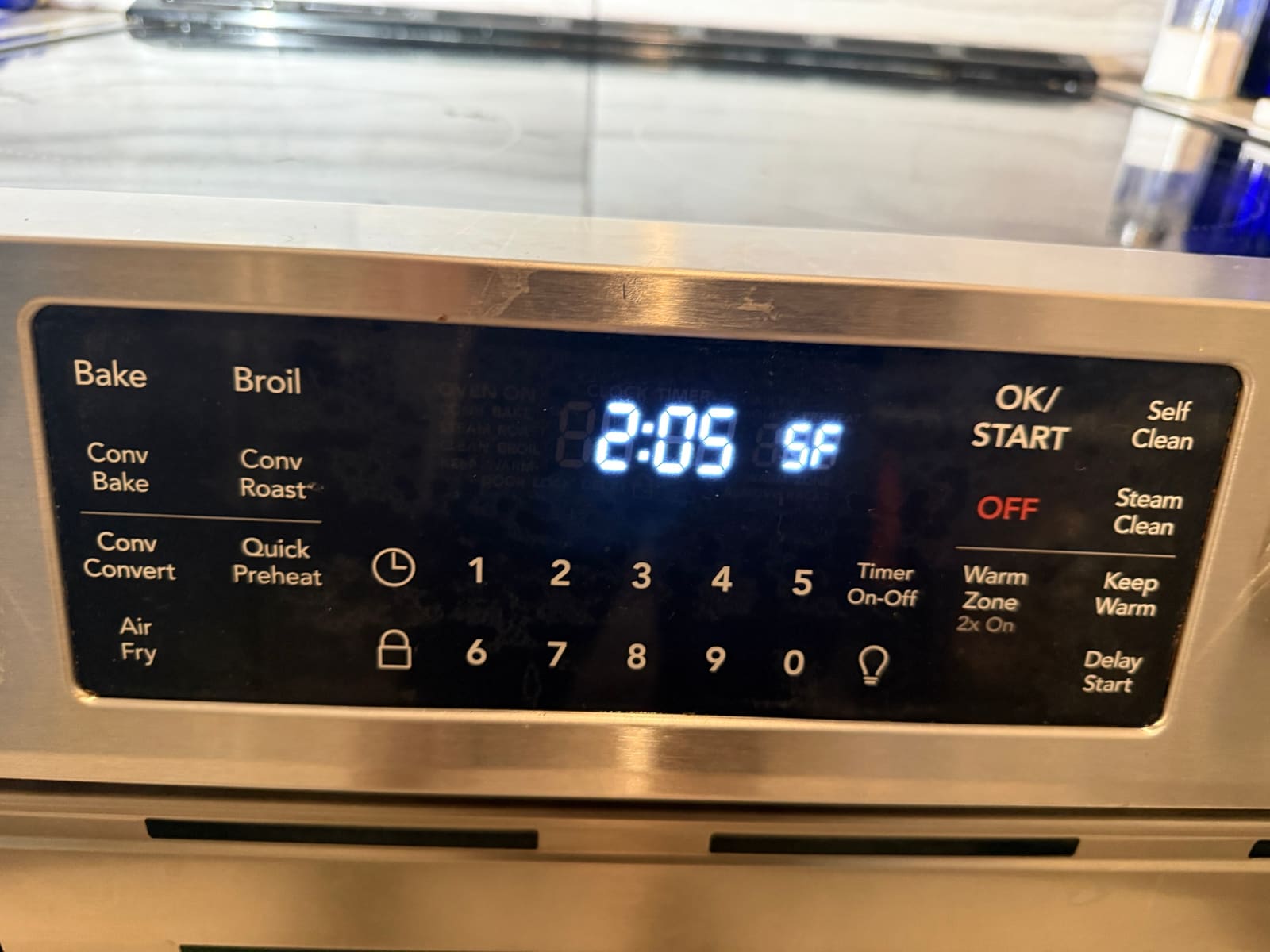
- The range stopped working. The display showed SF, and none of the buttons responded, not even OFF.
- Cause
- SF is a Sabbath mode fault. The range had been in Sabbath mode when the power dropped or flickered, and the control locked itself up.
- Fix
- Checked the control board and touch panel, both fine, then reset the control by the manufacturer's procedure. SF cleared and the range works normally. No parts needed.
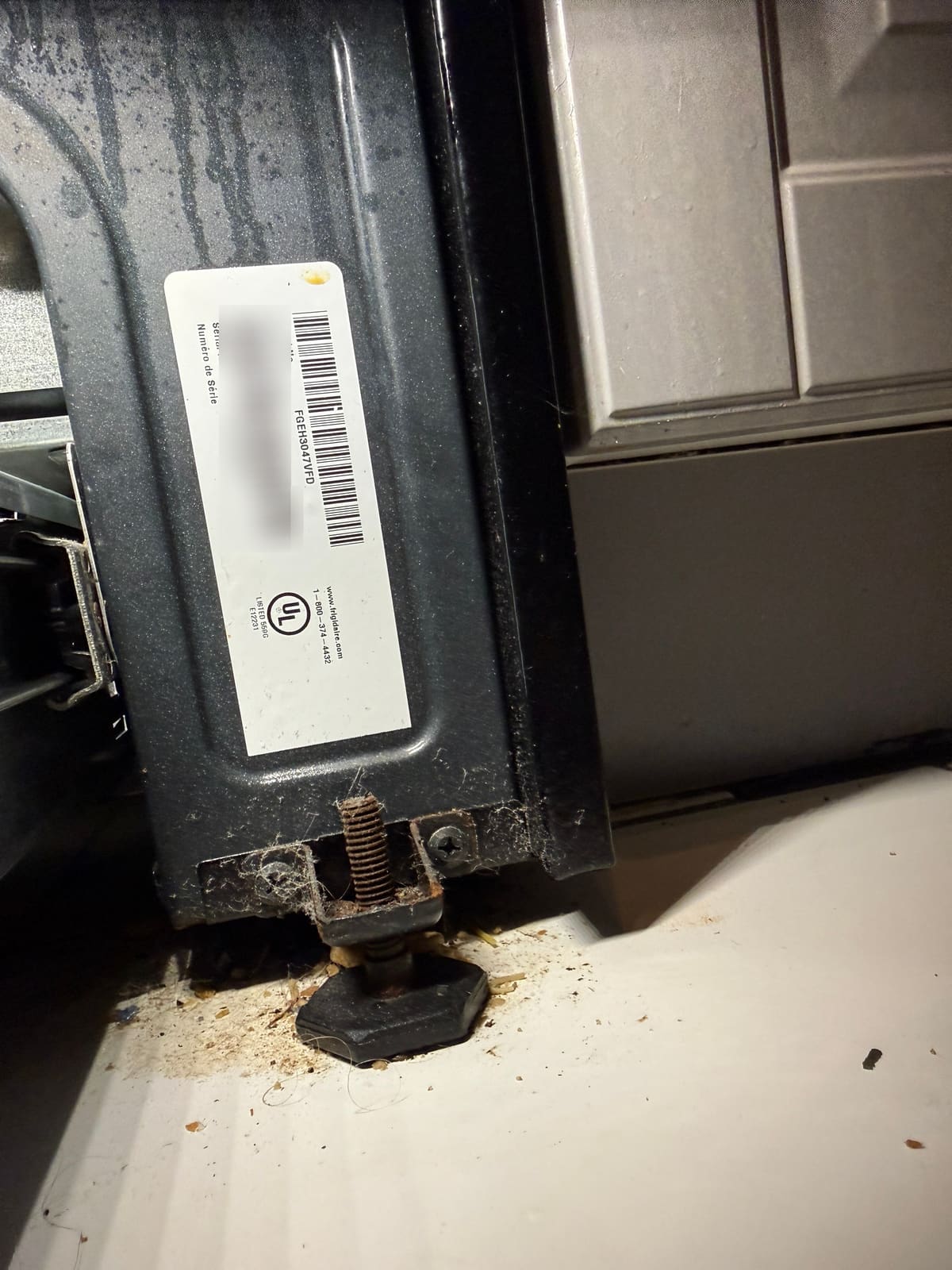
A client in the East Lake Woodlands neighborhood of Oldsmar called because their Frigidaire Gallery electric range (model FGEH3047VFD) had stopped working. The display just showed SF next to the clock, and none of the buttons did anything, not even OFF.
What SF means
SF stands for Sabbath failure. Sabbath mode keeps the oven on bake with no tones and no display changes, for households that don’t operate appliances on the Sabbath. If the range is in Sabbath mode when the power goes out or flickers, the control can lock itself up afterward. The range looks completely dead, but nothing is actually broken.
How we fixed it
Before resetting anything, we checked the control. The board and the touch panel were both working, so this wasn’t a failed part. Then we reset the control by the manufacturer’s procedure. SF cleared, and the range went back to normal. No parts needed.
If you see SF on your Frigidaire range, try this first. Press and hold Self Clean and Steam Clean together for 3 seconds, until you hear a tone. That should clear it. If it doesn’t, or it keeps coming back, give us a call so we can check the control.
Frigidaire oven fault codes from the service sheet
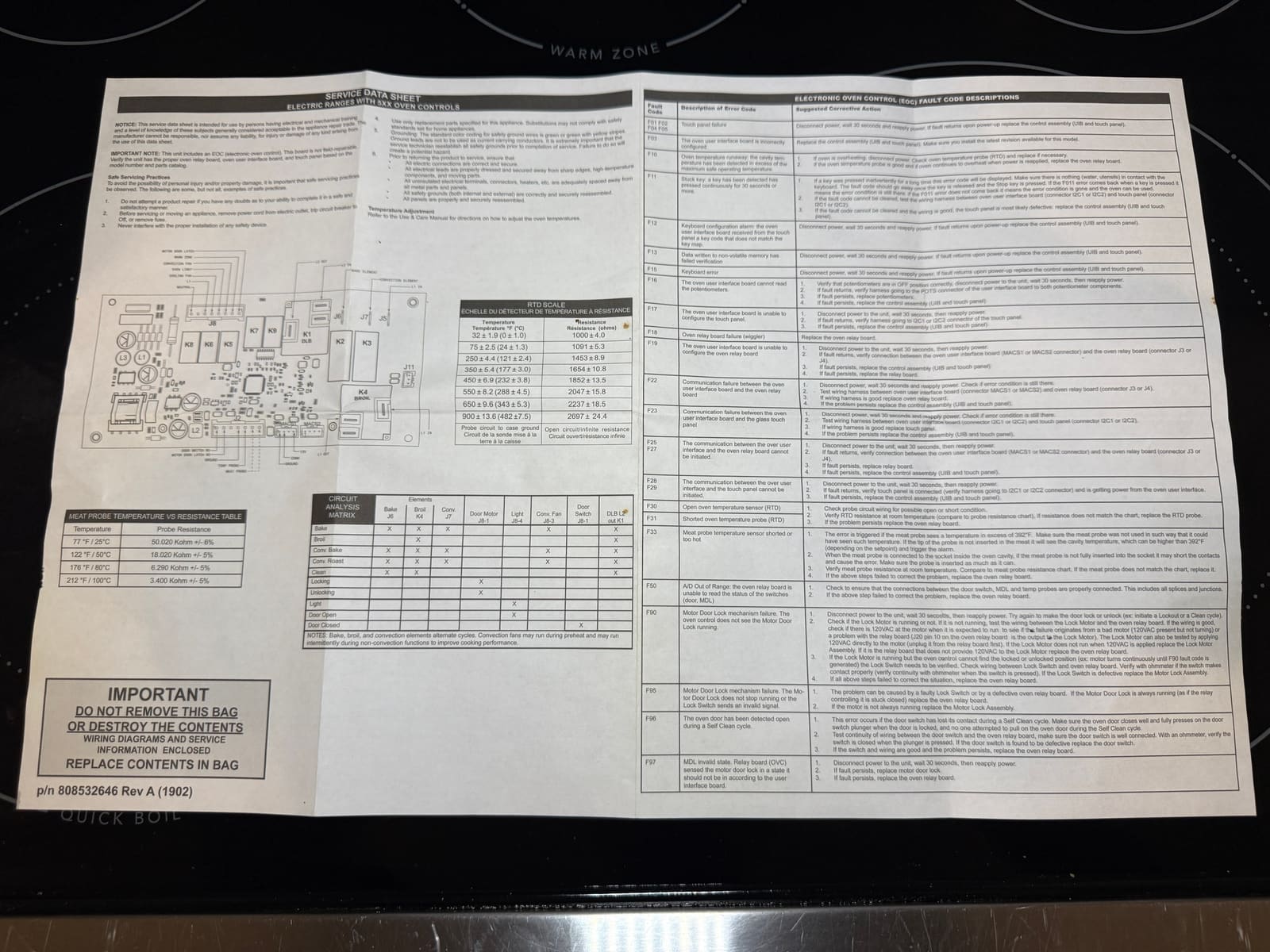
Tucked inside this range was its service data sheet, for Frigidaire electric ranges with the 5xx oven control. SF isn’t on its fault code list, because it isn’t a hardware fault. But the sheet explains the F codes these ranges can show, so here they are in plain words.
| Code | What it means | What the sheet says to do |
|---|---|---|
| F01, F02, F04, F05 | Touch panel failure | Cut power for 30 seconds. If it comes back, replace the control assembly (user interface board and touch panel). |
| F03 | User interface board configured wrong | Replace the control assembly with the latest revision for the model. |
| F10 | Oven temperature runaway, the oven got too hot | Cut power, check the oven temperature sensor and replace it if needed. If the sensor is good and it keeps overheating, replace the relay board. |
| F11 | Stuck key, pressed for 30 seconds or more | Make sure nothing is resting on the panel. If it won’t clear, check the wiring to the touch panel, then the touch panel itself. |
| F12, F13, F15 | Keyboard or memory errors | Cut power for 30 seconds. If it comes back, replace the control assembly. |
| F16, F17 | The board can’t read the burner knobs or set up the touch panel | Check the knobs are off, cut power for 30 seconds, then check the harnesses. |
| F18, F19 | Oven relay board failure or setup problem | Check the connection between the boards, then replace the relay board or control. |
| F22, F23, F25, F27, F28, F29 | The boards or the touch panel aren’t talking to each other | Cut power for 30 seconds, test the wiring harness between them, then replace the failed board. |
| F30 | Open oven temperature sensor | Check the sensor wiring and test the sensor’s resistance against the chart. |
| F31 | Shorted oven temperature sensor | Same as F30. Replace the sensor if it reads wrong, then the relay board if the problem stays. |
| F33 | Meat probe shorted or too hot | Make sure the probe is pushed fully into the socket and into the food, then test it. |
| F50 | Relay board can’t read the door switch, door lock or sensors | Check those connections. |
| F90, F95, F97 | Motorized door lock problem | Cut power for 30 seconds, then check the lock motor, lock switch and relay board. |
| F96 | The door opened during self clean | Make sure the door closes fully and presses the door switch, then test the switch and its wiring. |
The sheet also has the chart for the oven temperature sensor. It should read about 1,090 ohms at room temperature (75°F), about 1,650 ohms at 350°F and about 2,700 ohms at 900°F. A reading way off from that points to a bad sensor.
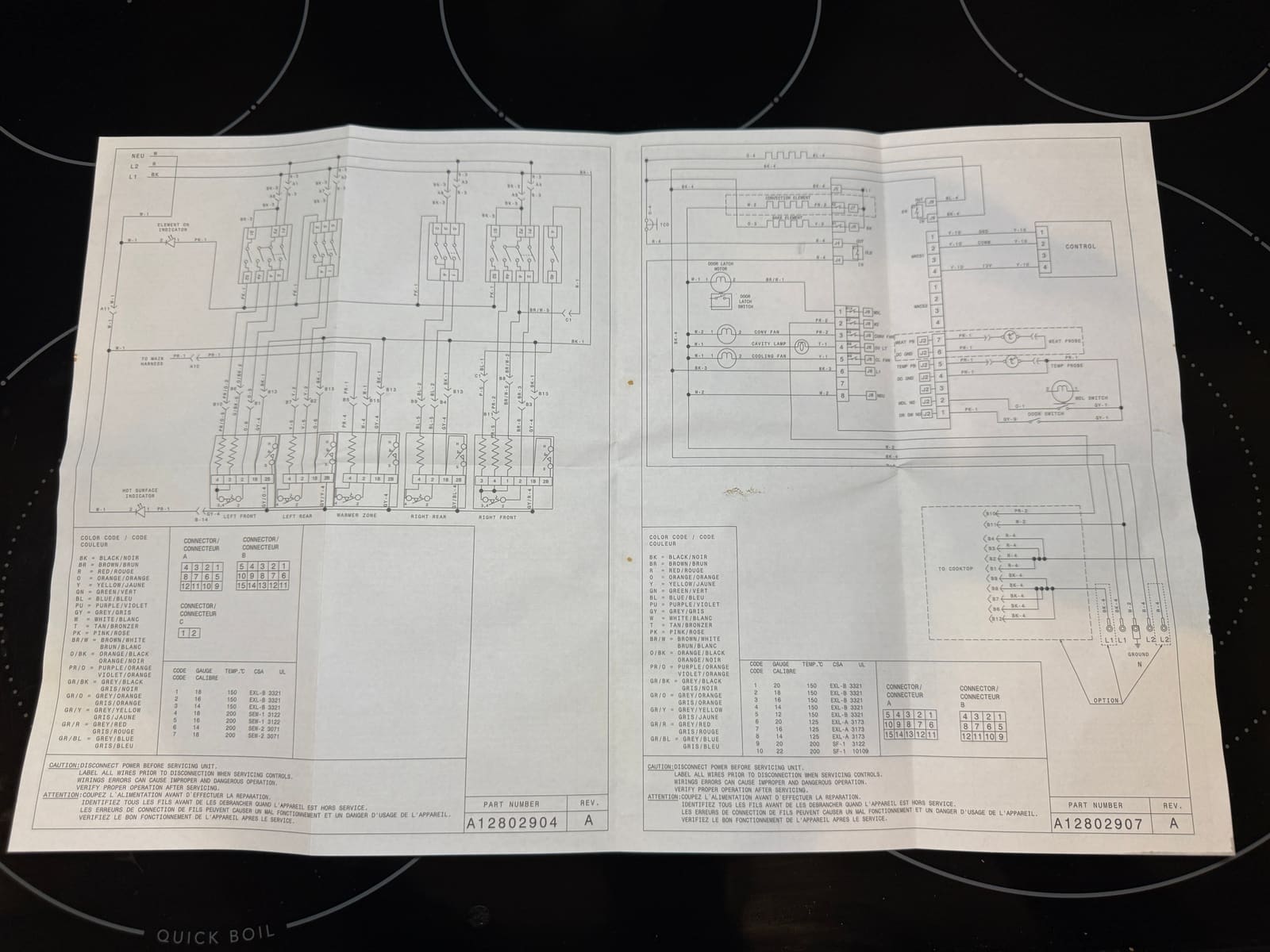
Here’s the wiring diagram from the same packet, for anyone working on one of these ranges.
Working again
The range works normally again, and the client didn’t pay for any parts. If a range suddenly goes dead or shows a code, a reset sometimes fixes it, but the control should be checked first. More on our oven and range repairs.
FAQ
What does SF mean on a Frigidaire range?
SF stands for Sabbath failure. It shows up when the range was in Sabbath mode and the power went out or flickered. The control locks up and the range looks dead, even though nothing is broken.
How do I clear SF on a Frigidaire range?
Press and hold Self Clean and Steam Clean together for 3 seconds, until you hear a tone. If SF doesn't clear, or keeps coming back, the control should be checked.